Create your circle
Start a private group for family, friends, a team, or your community. Invite with a secure link or QR code.
Stay close to the people you care about, share your location on your terms, and reach them quickly when you need help.
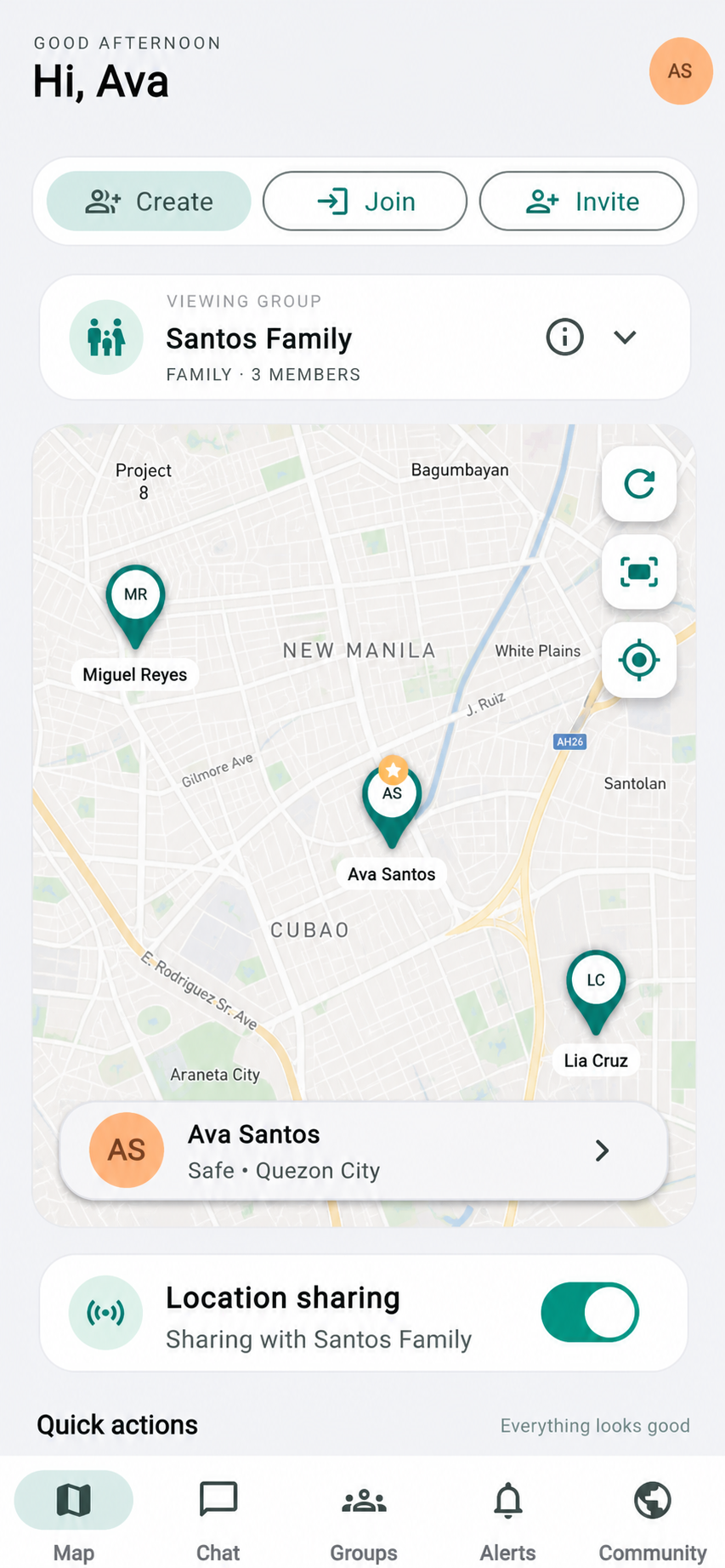
One tap to check in
3-second hold to activate SOS
Always private unless you choose to share
LocPointer gives your trusted circle one shared place to stay connected—without the noise, complexity, or unwanted tracking.
Start a private group for family, friends, a team, or your community. Invite with a secure link or QR code.
Choose when and with whom your location is visible. Pause or stop sharing at any moment.
Hold SOS for three seconds to alert your group, send your live location, and open a focused response channel.
From a simple “I'm safe” to a serious emergency, LocPointer makes every action clear and immediate.
Emergency calls are always placed by you.
Not just for families. LocPointer adapts to whoever you trust and wherever life takes you.
LocPointer is built around consent, control, and minimum access. Your routine location is never public—and administrators cannot casually browse it.
Install the Android APK, or use the installable web app on iPhone, iPad, and Windows. The web app opens in its own window and uses the same live LocPointer account.
Choose your platform and follow these three steps. Only download the Android APK directly from locpointer.com.
Step-by-step answers for accounts, groups, live location, messaging, Community updates, safety tools, and installation.
Open LocPointer, select Create account, enter your name, email address, and a password with at least 10 characters, then submit the form. You can also select Continue with Google and choose the Google account you want to use.
Select Continue with Google on the sign-in screen, choose an account, and approve the requested sign-in access. If the account list does not appear, allow pop-ups for locpointer.com and try again.
LocPointer securely refreshes your session so you normally remain signed in. You may be asked to sign in again after manually signing out, clearing browser or app data, or when your account security requires it.
Open Groups, select your group, tap your own member profile, and choose Edit profile. You can update your photo, contact information, relationship, emergency contact, and the details you allow group members to see.
Select Create at the top of the dashboard, enter a group name, choose a type such as Family, Friends, Team, Company, School, Community, or Travel, add an optional description, and confirm. The creator becomes the Owner.
Open the group and select Invite at the top. An Owner or Admin can generate an invite code and send it to the person. For account security, members join using their own LocPointer account instead of being added without consent.
Select Join at the top of the dashboard, enter the eight-character invite code provided by the group Owner or Admin, and confirm. The new group will then appear in your group selector.
Tap the current group card near the top of the dashboard and select another group. The map, members, alerts, and chat will change to the selected group. Location sharing can remain enabled for more than one group.
The Owner manages the group and can assign Admins. Owners and Admins can create invites, manage eligible members, update group information, and review stop-sharing requests. Members can share locations, chat, respond to safety checks, and use alerts.
Open the group member list. Each member shows an Online or Last active status, along with an Owner, Admin, or Member badge. Online status and GPS updates are separate: a person may be online while location permission is disabled.
Open Groups, select the group, open its details or management menu, and choose Leave group. If the Owner leaves a group that still has members, ownership transfers to an Admin or the longest-standing member.
Select your group and turn on Location sharing. Approve the device location permission and enable Precise location. Sharing stays enabled for that group until it is manually turned off or an approved stop request takes effect.
Install the latest Android APK, set LocPointer location permission to Allow all the time, enable Precise location, and set battery usage to Unrestricted or Don't optimize. An ongoing LocPointer notification indicates that background sharing is active.
Confirm that the member has the latest app, Location sharing is on, GPS and Precise location are enabled, background permission is allowed, battery optimization is disabled, and the phone has internet access. Move at least 10 meters, wait about 15–30 seconds, then use Refresh on the map.
Turn off the Location sharing switch. A regular Member sends a stop-sharing request and remains visible until an Owner or Admin approves it. Owners and Admins can stop their own sharing directly. Device-level location permission can always be revoked in system settings.
Select View all or the fit-map control to zoom out and include all available member pins. Tap a member or pin to zoom in, open their details, call them when a number is available, or choose Go to location to open directions in Google Maps.
Use the Refresh button on the map or pull down on the dashboard. LocPointer also checks for updated locations, messages, alerts, sharing status, and member activity automatically.
Select Chat in the bottom navigation, choose the active group, type a message, and send it. Use the photo button to upload an image. Read information below a message shows which group members have opened it.
Community is a location-based update feed, not a chat room. Select Community in the bottom navigation, choose Create post, add a title and update, optionally attach a photo, and publish. Posts are shown to people within the supported local radius and display the author, date, and seen count.
Group chat is private conversation for members of one selected group. Community is a local public-update feed for useful area information such as road conditions, flooding, closures, or neighborhood notices. Replies do not turn a Community post into a live chat.
I'm Safe records a safety check-in for your group. Safety Check asks group members to update their status. SOS / Alert reports an emergency and notifies the relevant group; use the emergency call option for immediate help when needed.
Open Alerts or SOS / Alert, choose the hazard type, confirm the location, set or accept the estimated affected radius, add useful details, and publish. The map displays the affected area, and unresolved reports automatically expire after their configured countdown.
New group messages, Community posts, safety checks, alerts, and sharing requests can trigger sound or vibration and add a number badge above the related bottom-menu icon. Open that section to review the new activity.
Yes. You can still access the map, bottom navigation, Community updates, profile, theme settings, and public safety information. Create or join a group later when you want private member sharing and group chat.
Android devices can install the native APK. iPhone and iPad users can add the web app from Safari to the Home Screen. Windows users can install the web app from Edge or Chrome. The regular web app also works in supported desktop and mobile browsers.
Check your internet connection, temporarily disable a restrictive VPN or data saver, reopen LocPointer, and try Refresh. If the website loads but the error continues, wait briefly and retry because the API connection may be recovering.
Android users must install the newest APK over the existing app. Web-app users should close and reopen LocPointer; if an old screen remains, remove the home-screen web app, reopen locpointer.com/app-v2 in the browser, and install it again.
Open the appearance or theme option from your profile or app menu and choose Light, Dark, or System. System follows the current appearance setting of your device.